OmniDoc: Mobile workstation for scanning, viewing, and editing documents
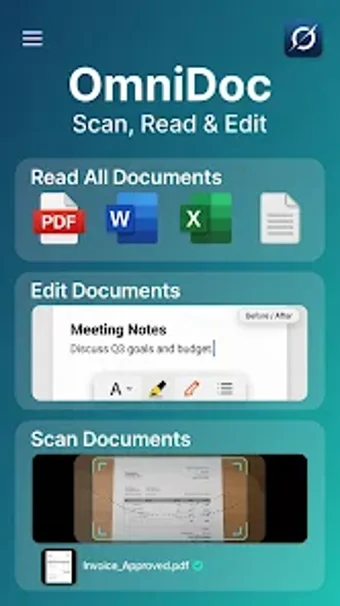
Try a mobile document workstation with OmniDoc: Scan Read Edit from Stulab Mobinla, built to centralize digital and paper paperwork on Android devices. The app functions as a combined document reader, scanner, and PDF editor, letting you view office files, capture multi-page scans, and perform in-app edits. It layers conversion, compression, and local file organization for on-device workflows and quick review on small screens. Professionals and students gain consolidated access to document tasks while away from a desktop.
What file types and conversions does the app actually handle?
The app opens standard office and plain-text formats and converts images to editable documents. Supported viewer formats include PDF, Word (.DOC/.DOCX), Excel (.XLS/.XLSX), PowerPoint (.PPT/.PPTX) and plain text. Conversion and OCR tools let you turn camera images into PDFs and export PDFs to Word-compatible formats, and the in-app compressor reduces file sizes for easier sending.
Does the app affect device performance when processing large documents?
Designed for modern Android hardware, the app is optimised to handle large files without explicit background network use. In addition, local processing of scans and document operations keeps work on-device, which reduces network overhead. Nevertheless, complex spreadsheets and very large multipage PDFs depend on device memory and CPU; expect heavier tasks to be noticeably more demanding on older phones.
Is document content interaction practical for research and review?
The integrated assistant supports chat-style queries that return cited answers drawn from the open document, aiding summarisation and quick fact extraction. In addition, the tool presents desktop-class document rendering for complex layouts so users can inspect tables and slides on a mobile screen. Search and local organisation features speed retrieval when you manage several files for a project.
Is scanning and in-app editing accessible for non-technical users?
Capture and edit workflows use guided steps, including a scanner that uses Google ML Kit for edge detection, auto-crop, and perspective correction when photographing receipts, IDs, or book pages. The PDF editor exposes page-level actions such as merge, split, delete, and rotate, while security controls let you apply passwords and text watermarks before sharing. These operations are practical with a short familiarisation period.
Balance of capability and device expectations
OmniDoc is a capable, privacy-minded mobile document workstation for professionals and students who need consolidated control over documents on Android. It groups local capture, viewing, and editing in one package, but advanced editing and spreadsheet handling demand modern device resources and some hands-on learning. Practical tip: perform large conversions or batch edits when the device is plugged in and idle to reduce interruptions.